 |
 |
| Mini USB Personal Fan |
|
|
| Mini USB Personal Fan |
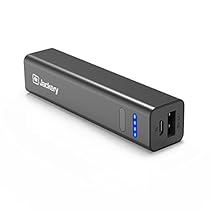
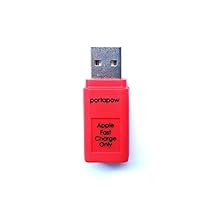


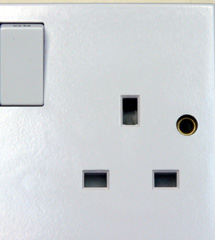

 . There are adapters readily available for about $US2, but these are of questionable safety. The adapters are designed to take UK, European, US and Australian plugs. They have so many and so large holes in them that the plugs are not held firmly and large sparks can be seen when contact is lost.
 . This is almost a cube with a US/UK,European and Australian socket on one side and plugs for the same folding or retracting into the other sides. It is bulky and cumbersome looking but works okay. The unit is black and when plugged into my laptop cable it looks neat. It also has one high power USB socket and so can be used to charge a phone at the same time.
 The article "Infantry Innovation" Daniel Wasserbly, Janes Defence Weekly, 24 August 2011), discusses how the military can use smart phones on the battlefield. Mobile phones have been heavily used in support. Where there is no cell coverage available, mobile cell towers with satellite links can be used. Now consideration is being given to using the phones on the battlefield.
 , so the touch screen can be used. Such a unit would be much larger than the custom cases for phones but still much more compact than the typical purpose built military terminal. The case would also be very cheap, being able to be mass produced, and sold for less than $100 retail. A similar, but larger case could be made for tablet computers.
 It was reported in "Defence investigates lost and found memory stick" that a defence contractor left a flash drive containing classified documents on a commercial aircraft (Secure Computing, 14 March 2011). A simple way to prevent this is to attach the flash drive to lanyard, or a retractable reel, as issued to staff for swipe cards. For those needing something more robust there are retracting lanyards designed to secure a fishing knife, such as the Rewind Gear Retractor
 .
. For those needing something even stronger, there are coiled lanyards designed for military personnel to secure their handguns, such as the Tactical Pistol Lanyard, Coil Black
 .
.
The Swedish company Yubico manufacture the Yubikey One-Time-Password (OTP) USB device and have released all protocol and other relevant details which makes the Yubikey particularly attractive as a low-cost and non-vendor-lock-in authentication solution.
Bob will demonstrate the Yubikey for the purposes of secure authentication on untrusted end-user systems (eg. PCs at an Internet Cafe or a friends house etc.) and will discuss some of the advantages as well as some of the weaknesses of the Yubikey system. He will then go on to describe the development of an authentication server written in C and based on a PostgreSQL database and implementing LDAP and other authentication protocols. This will include some technical details of how to use the APIs for connection to the database, parsing the ASN1 LDAP queries, dealing with denial-of-service attacks etc. He will also discuss some of the code he has written to implement the Yubikey protocol on devices with no USB port (eg. a PDA or mobile phone etc.).
This talk is a prelude to a paper Bob will present at the Linux Conference of Australia in 2010 (LCA2010) in Wellington, NZ in January.
BIO:
Bob Edwards is the Chief IT Officer in the School of Computer Science at the ANU. He also teaches into the Computer Networks course and the Free and Open Source Software Development (FOSSD) course, amongst others.
From: Yubikey Authentication in a Mid-sized Organisation, ANU 2009
 The "USB Mobile Phone Adaptor Kit" I ordered from Swamp Industries turned up in the mail the next day. The kit is impressive, with both car and mains USB adaptors to supply power and assorted plugs for differnet phones . However, the USB Adaptor, which boosts 5 Volts from a USB socket to 9 Volts, does not supply sufficient current to run my Huawei D100 3G Router and HUAWEI E169 3G USB modem.Connecting the HUAWEI E169 3G USB modem to the Kogan Agora Netbook is proving harder than expected. While there are descriptions on the web of simply plugging the modem in and restarting the computer, the Kogan does not seem to recognise the device. Some manual modifications of setting have not helped. So I decided to take a different approach: when plugged into the Huawei D100 3G Router the modem works fine with the Kogan. The settings for the modem are stored in the router. This has the added advantage of the firewall in the modem and that the device can be shared by several computers.
 Not being able to find a 12 Volt adaptor, I thought I would make the problem easier by trying a lower voltage. Most digital electronics actually run on 5 Volts or less. The 12 Volts supplied to equipment is converted down. So first I tried the router at 5 Volts, using the USB adaptor cable which came with the external DVD drive. This was after I checked the voltage and polarity of the power with a multimeter). This did not work, clearly more than 5 Volts was needed.
 The use of USB for mobile phone chargers should reduce materials and energy use as well as costs to the consumer. Since 2007, China has required mobile phones to use a USB interface for the battery charger. As of 2010 the European Union will require a micro-USB connector on mobile phones for charging.
 The EU requirement is only for data enabled phones, the ones which are likely to have a USB socket anyway. While this has been described as only applying to high cost smart phones, there are many low cost phones which have a USB interface. As an example the Motorola U9 sells in Australia for $99 and comes with a micro-USB socket. Unfortunately the U9 comes with the micro-USB plug permanently wired to the power adaptor. The Australian Motorola adaptor is not compatible with the Chinese standard as it does not have a Type A socket.
Instead of having to buy a charger with each phone, the one charger can be shared between different brands and models of phones. In a household were each person previously had a charger plugged in for each phone, instead one charger can be used. This will use less energy as only one charger will be consuming power.
These standards will also make it easier for consumers, with fewer different chargers and cables. The USB cables are low cost. A Type A to Micro USB cable from Paddy's Markets in Sydney, for example, is $12.
Harmonisation of a charging capability of common charger for mobile phones - frequently asked questions
(see also IP/09/1049 )
What's the issue?
Incompatibility of chargers for mobile phones is a major environmental problem and an inconvenience for users across the European Union. Currently specific chargers are sold together with specific mobile phones. A user who wants to change his/her mobile phone must usually acquire a new charger and dispose the current one, even if this is in perfect condition. This unnecessarily generates important amounts of electronic waste.
Which is the solution envisaged?
Harmonising mobile phone chargers will bring significant economic and environmental benefits. Following a request from the European Commission and in close co-operation with the Commission services, major producers of mobile phones have agreed in a Memorandum of Understanding (“MoU”) to harmonise chargers for data-enabled mobile phones sold in the EU. Industry commits to provide chargers compatibility on the basis of the Micro-USB connector. Once the commitment becomes effective, it will be possible to charge data-enabled mobile phones from any charger compatible with the common specifications.
Who will benefit and how?
Consumers will not need to buy a new charger together with every mobile phone, and they should also benefit from more efficient and cheaper stand-alone chargers. Consumers will be able to charge their mobile phone from the new common charger.
The environmental benefits of harmonising chargers are expected to be very important: reducing the number of chargers unnecessarily sold will reduce the associated generated electronic waste, which currently amounts to thousands of tons. Harmonised chargers are also expected to improve energy-efficiency, thus reducing energy consumption.
What will be the impact of the MoU on prices?
Consumers will be able to purchase mobile phones without a charger, thus logically reducing their cost. They will also be able to purchase much more cost-effective stand-alone chargers than it is currently the case
Are all mobile phones covered by the MoU?
The MoU covers data-enabled mobile phones. The MoU excludes mobile phones which do not support USB data exchange and also certain unusual formats of phone, for example phones worn as wristwatches.
Which is the agreed common interface?
On the basis of the Micro USB interface, the companies have agreed to develop a common specification in order to allow for full compatibility and safety of chargers and mobile phones
Why does the MoU only apply to data-enabled mobile phones/equipment?
Mobile phones are short-life products. It is expected that from 2010 onwards most future mobile phones will be data-enabled.
When is the proposal likely to come into effect?
It is expected that the first generation of new inter-chargeable mobile phones will reach the EU market from 2010 onwards. The Commission will closely work with industry in order to facilitate an implementation of the agreement on the market as soon as possible.
Which companies have signed the MoU?
The following 10 companies have signed the MoU:
Apple
LG
Motorola
NEC
Nokia
Qualcomm
Research In Motion
Samsung
Sony Ericsson
Texas Instruments
Where does the MoU apply?
The MoU covers the territory of the EU. However, as the market for mobile phones is essentially global, the MoU should be seen as a good model for other geographical markets. The Commission is committed to sharing this approach with its trading partners, in order to extend its benefits world-wide.
From: Harmonisation of a charging capability of common charger for mobile phones - frequently asked questions, Media Release, European Union, Reference: MEMO/09/301, 29/06/2009
 The EcoButton is a large backlight button which you plug into a computer via USB. Press the button and the computer is put in a low power suspended mode, press it again and the computer wakes up. This idea has got mixed reviews. On the one hand the device doesn't do any more than can be done with built in functions in the computer (my laptop has a suspend/resume button already or you can do the same thing with a few mouse clicks). The device will use extra resoruces to make and use. On the other hand having a dedicated on/off switch, by being simple and convenient, might be used by people who would otherwise leave their computer on. At least this is better for the environment than a USB cup warmer.

 A USB flash drive with tens of thousands of prison and police records on it is missing in the UK. Perhaps Jacqui Smith, the government minister responsible, should have the contractor (PA Consulting) purchase some heavy duty retractable reel lanyards to secure the flash drives.
When a similar incident happened in Australia with a military officer leaving important data behind, I jokingly suggested that military personnel should be issued with a retractable cable clipped to their uniform. The officer could then clip the flash drive to the other end of the cable. If they forgot the flash drive, the cable would pull it out of the computer and retract when they got up.
Reels with nylon cable are commonly issued to staff with security swipe cards, but the clips and cables on most are flimsy. So I found on Amazon.com a stainless steel lanyard sold to sailors for attaching then penknives to. These are much stronger than the nylon cables and they have a secure steel clip on each end. While this started off as a joke, I found that people were ordering batches of these lanyards, presumably to hold flash drives. So I created an Amazon.com store for lanyards.
A USB flash drive with tens of thousands of prison and police records on it is missing in the UK. Perhaps Jacqui Smith, the government minister responsible, should have the contractor (PA Consulting) purchase some heavy duty retractable reel lanyards to secure the flash drives.
When a similar incident happened in Australia with a military officer leaving important data behind, I jokingly suggested that military personnel should be issued with a retractable cable clipped to their uniform. The officer could then clip the flash drive to the other end of the cable. If they forgot the flash drive, the cable would pull it out of the computer and retract when they got up.
Reels with nylon cable are commonly issued to staff with security swipe cards, but the clips and cables on most are flimsy. So I found on Amazon.com a stainless steel lanyard sold to sailors for attaching then penknives to. These are much stronger than the nylon cables and they have a secure steel clip on each end. While this started off as a joke, I found that people were ordering batches of these lanyards, presumably to hold flash drives. So I created an Amazon.com store for lanyards.
 For those needing more security there are coiled plastic cable lanyards. Smaller ones of these are designed for divers and have a stainless steel clip on each end. Even stronger units are pistol lanyards. Some of these are actually a steel cable coated with plastic. One end of the cable has a wide nylon loop for attaching to a belt and the other a thin loop or a clip. They are designed for military and police handguns. One manufacturer claims that the cable is so strong it can help stop an attacker turning the gun on the owner. Because the lanyard is attached to the butt of the gun, the tension of the cable makes it naturally point away from the holder. As a result it is difficult for someone to point the gun at themselves or for anyone else to do that.
The military lanyards are more than would be needed for holding a flash drive, but then for security personnel, this sort of lanyard might fit better with their uniform than a shiny stainless steel reel. To complement this, there are also Waterproof USB Flash Drives.
See the Amazon.com store:
It was reported May 17, 2006 that a senior military officer left a CD containing a confidential report in a computer in the at an airport lounge:
For those needing more security there are coiled plastic cable lanyards. Smaller ones of these are designed for divers and have a stainless steel clip on each end. Even stronger units are pistol lanyards. Some of these are actually a steel cable coated with plastic. One end of the cable has a wide nylon loop for attaching to a belt and the other a thin loop or a clip. They are designed for military and police handguns. One manufacturer claims that the cable is so strong it can help stop an attacker turning the gun on the owner. Because the lanyard is attached to the butt of the gun, the tension of the cable makes it naturally point away from the holder. As a result it is difficult for someone to point the gun at themselves or for anyone else to do that.
The military lanyards are more than would be needed for holding a flash drive, but then for security personnel, this sort of lanyard might fit better with their uniform than a shiny stainless steel reel. To complement this, there are also Waterproof USB Flash Drives.
See the Amazon.com store:
It was reported May 17, 2006 that a senior military officer left a CD containing a confidential report in a computer in the at an airport lounge:... today it emerged Brigadier ... left the results of her investigation in a computer in the Qantas Club lounge at Melbourne Airport on Monday.In response I wrote a spoof press release about a fictional product:
Defence Minister Brendan Nelson told reporters he was "angry and disappointed" by the latest bungle, and said he had not seen a copy of the report. ...
"... reinforced military specification lanyard which can be attached to a flash drive, or other removable electronic memory device. The other end of the FlashHard is secured to the uniform of the personnel responsible for the information. The FlashHard will first provide a warning if the user attempts to leave their workstation without removing the flash drive. If the user ignores the warning, the FlashHard will automatically eject the flash drive from the workstation and retract it onto the user's uniform. ...".It turns out that this is a real use. My brother, Dr. John Worthington, is an Educational Consultant and Psychologist, dealing with children. One problem is with some children leaving flash drives in PCs at school. So he suggested they be attached to a retractable reel, as used by staff for swipe cards. As in my spoof release, the drive is tethered to the child. After a few weeks of reminders from the device, the child gets into the habit of checking the flash drive before getting up.
